Cloud Env Marker: Color-Code Your Cloud Consoles to Prevent Production Accidents
February 26, 2026
Cloud consoles look identical whether you're in production or development. Cloud Env Marker is a Chrome extension that adds colored header bars to your AWS, GCP & Azure consoles — so you always know which environment you're in.
The Problem
Working across multiple cloud accounts and environments is a daily reality for DevOps engineers and SREs. The cloud consoles look nearly identical regardless of whether you're in production or development. One wrong click in the wrong account can lead to serious consequences.
Cloud Env Marker provides a simple visual indicator — something that takes zero mental effort to interpret. A colored bar at the top of the page: red means production, green means development.
How It Works
- Install the extension from the Chrome Web Store
- Define rules — match your account IDs, project names, or subscription patterns
- Pick colors — each matched environment gets a colored header bar
- Or just hit Quick Presets to set up production / staging / dev in one click
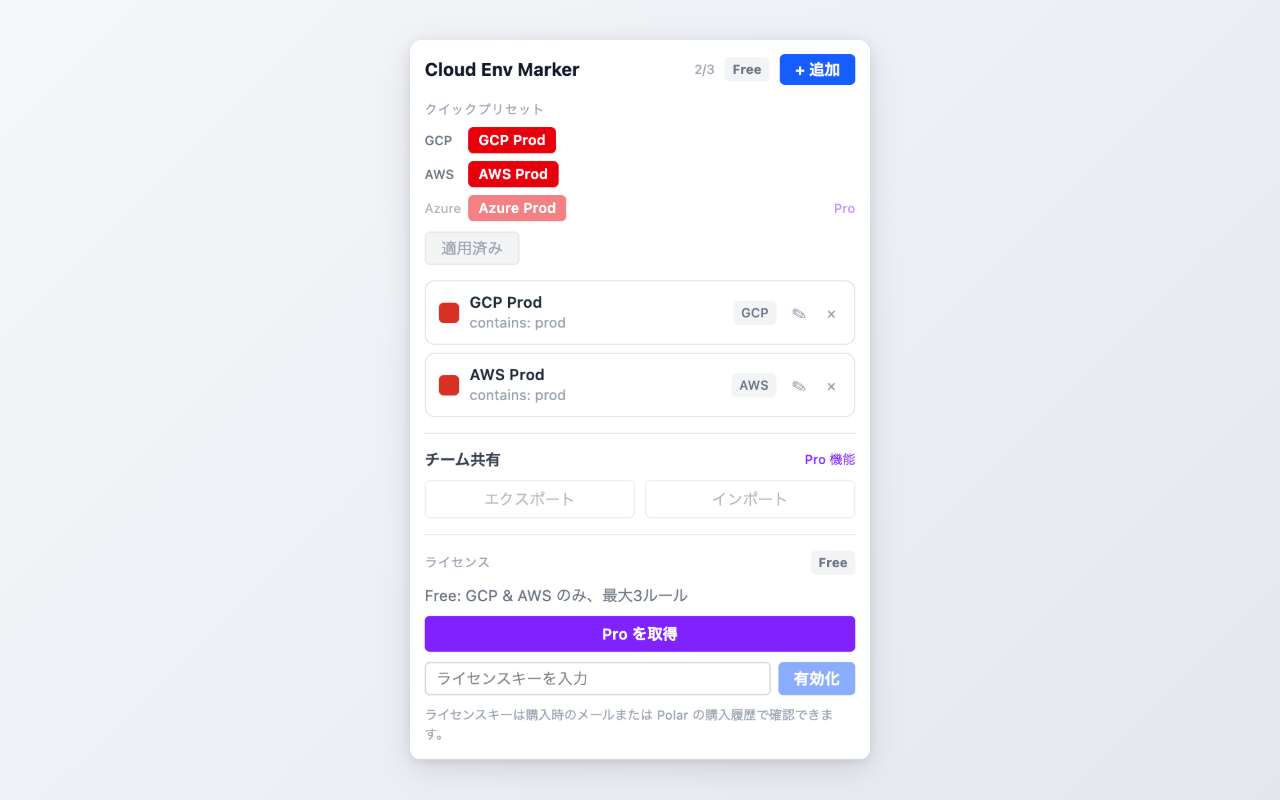
Popup — rules, presets, and license management
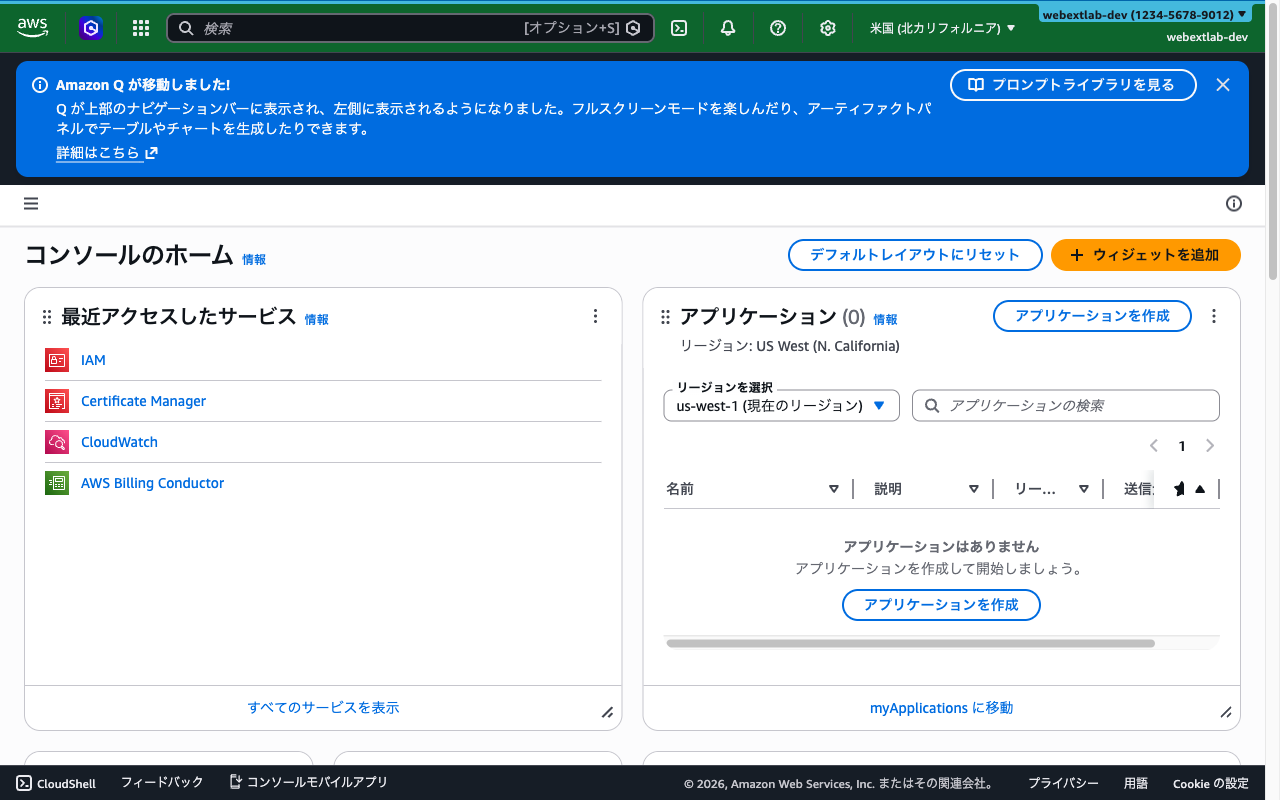
AWS Console — green header for dev environment
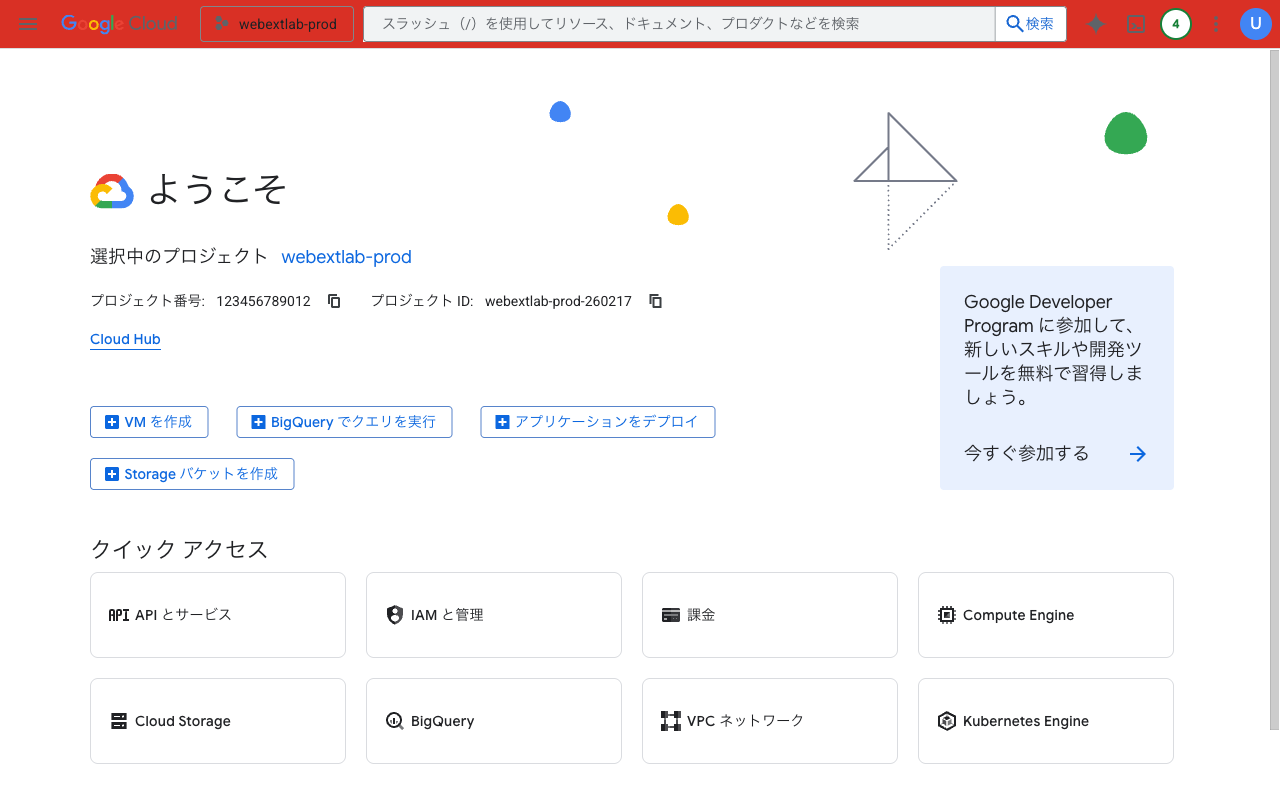
GCP Console — red header for production
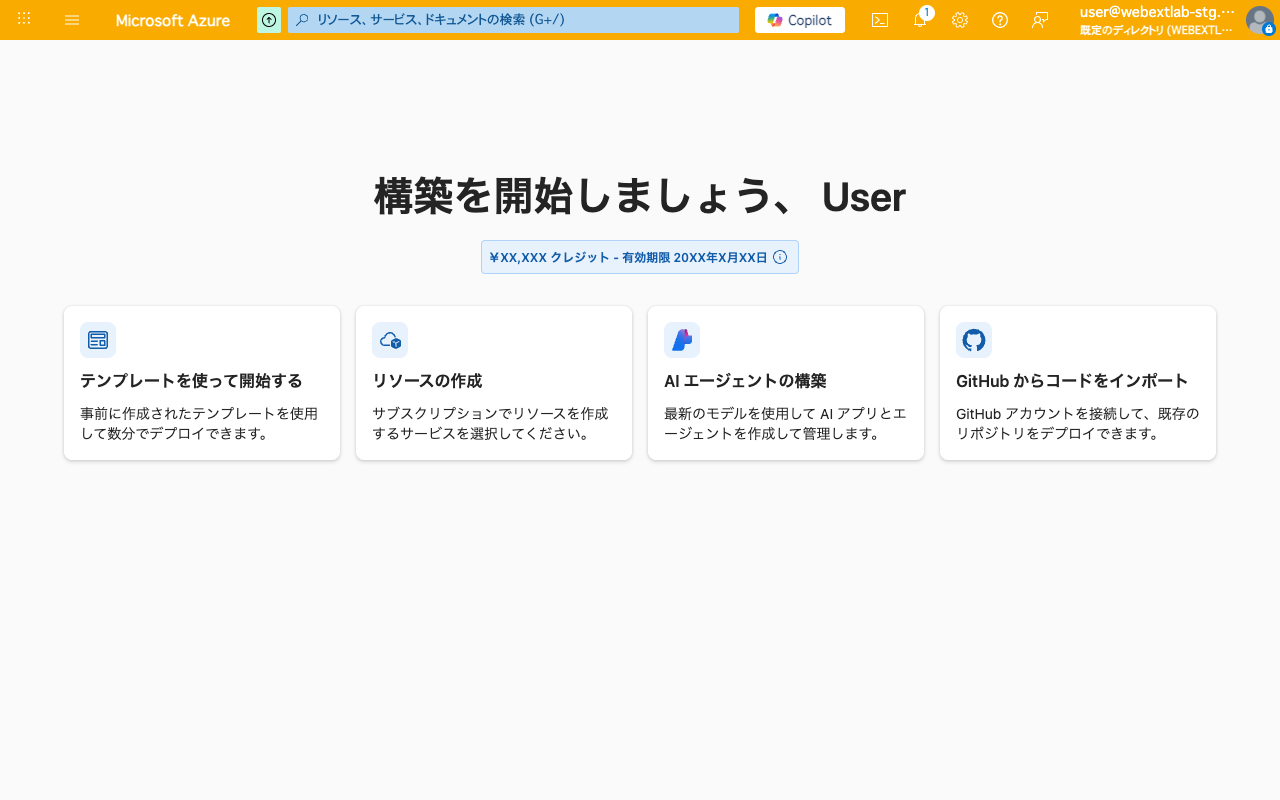
Azure Portal — amber header for staging
Key Features
- Multi-cloud support — AWS Console, GCP Console, and Azure Portal
- Flexible pattern matching — contains, starts-with, or regex
- Custom colors — any color for any environment
- Quick presets — one-click setup for common environments
- Team sharing — export and import rule sets as JSON (Pro)
- Lightweight — no background network requests, all data stays in your browser
Free vs Pro
The free tier supports AWS and GCP consoles with up to 3 rules — enough for most individual setups. Pro unlocks Azure Portal support, unlimited rules, and team rule export/import for organizations that want a consistent setup across the team.
Install Cloud Env Marker from the Chrome Web Store and set up your first rule in under 30 seconds.
Feedback is welcome — leave a review on the Chrome Web Store page or reach out at support@joifup.com.