StylePeek: Inspect Fonts, Colors, and Spacing Without Opening DevTools
April 20, 2026
StylePeek is a Chrome extension that lets you inspect fonts, colors, and spacing on any website — without opening DevTools. Click any element to see its styles in a persistent side panel that stays open while you browse. Available now on the Chrome Web Store.
The Problem
Checking the font family, color value, or spacing of an element on a website typically involves opening DevTools, navigating to the Elements panel, and scanning through computed styles. It works, but it takes several clicks and the panel layout is designed for debugging, not quick design reference.
For designers reviewing reference sites, frontend developers verifying implementations, and design system teams auditing consistency, a faster workflow is needed.
How It Works
- Click the StylePeek icon to open the side panel
- Click “Start Inspect” and select any element on the page
- Typography, colors, and spacing appear instantly in the side panel
- Copy any value with one click
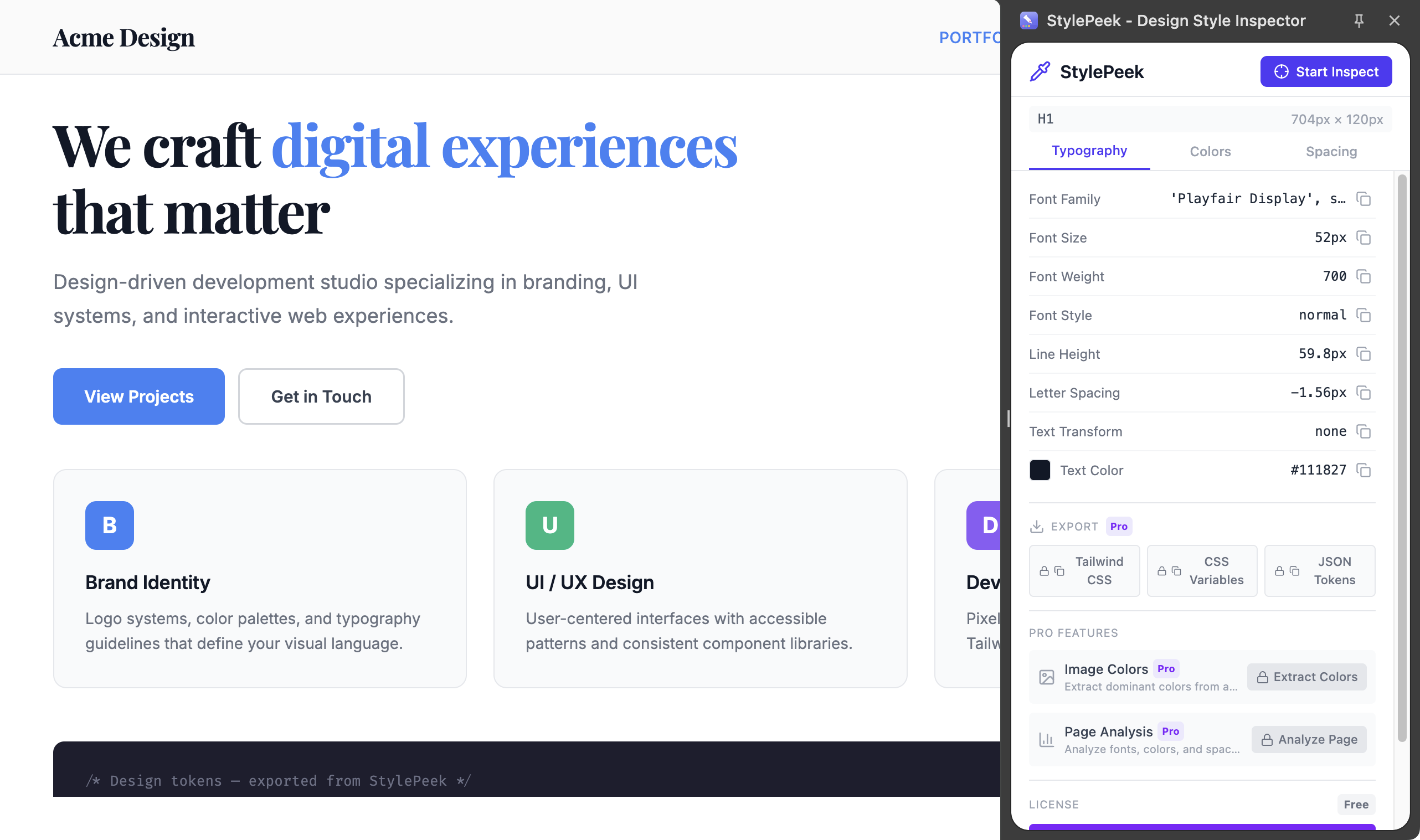
Typography tab — font family, size, weight, line height, and letter spacing at a glance
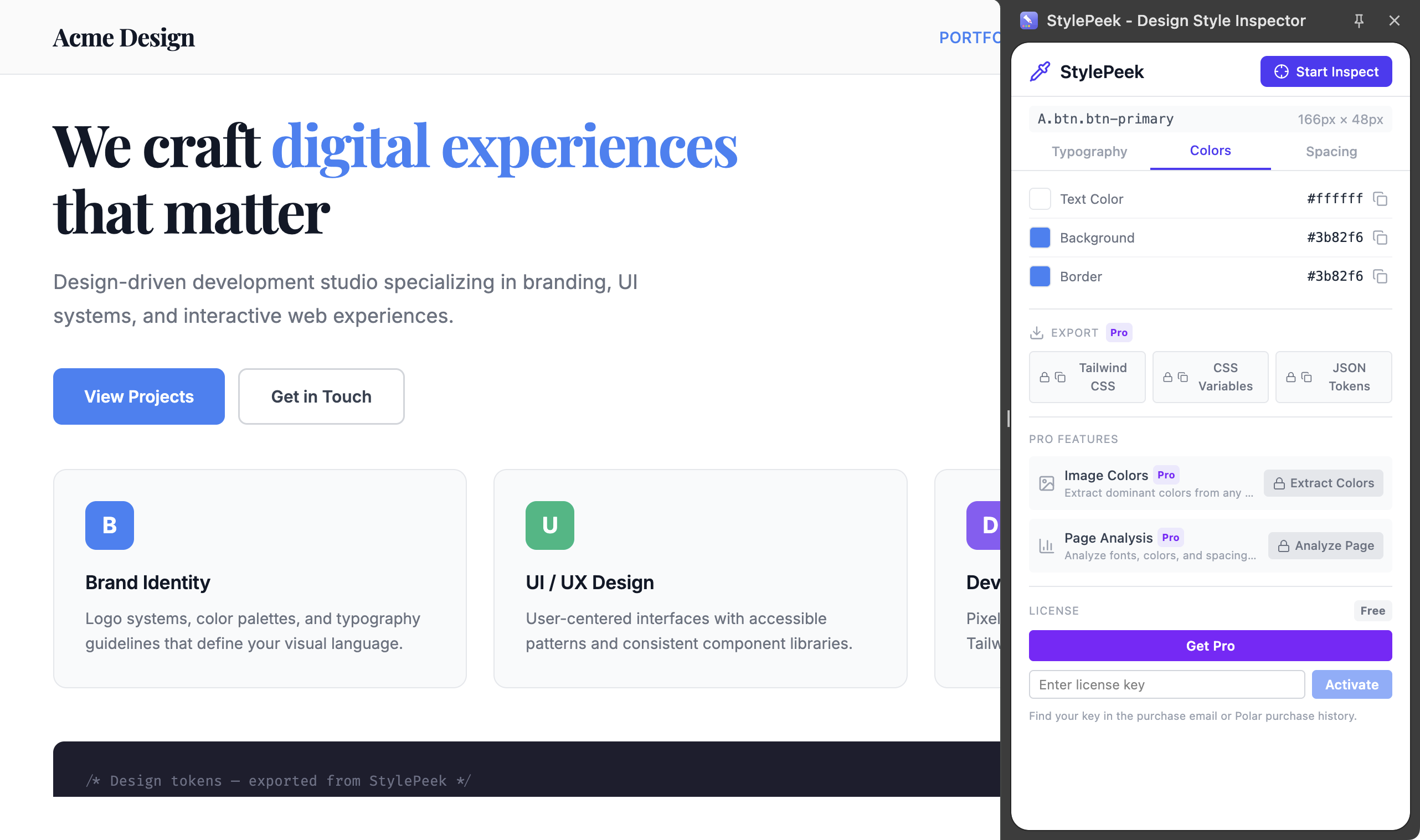
Colors tab — text, background, and border colors with hex/RGB/HSL and preview swatches
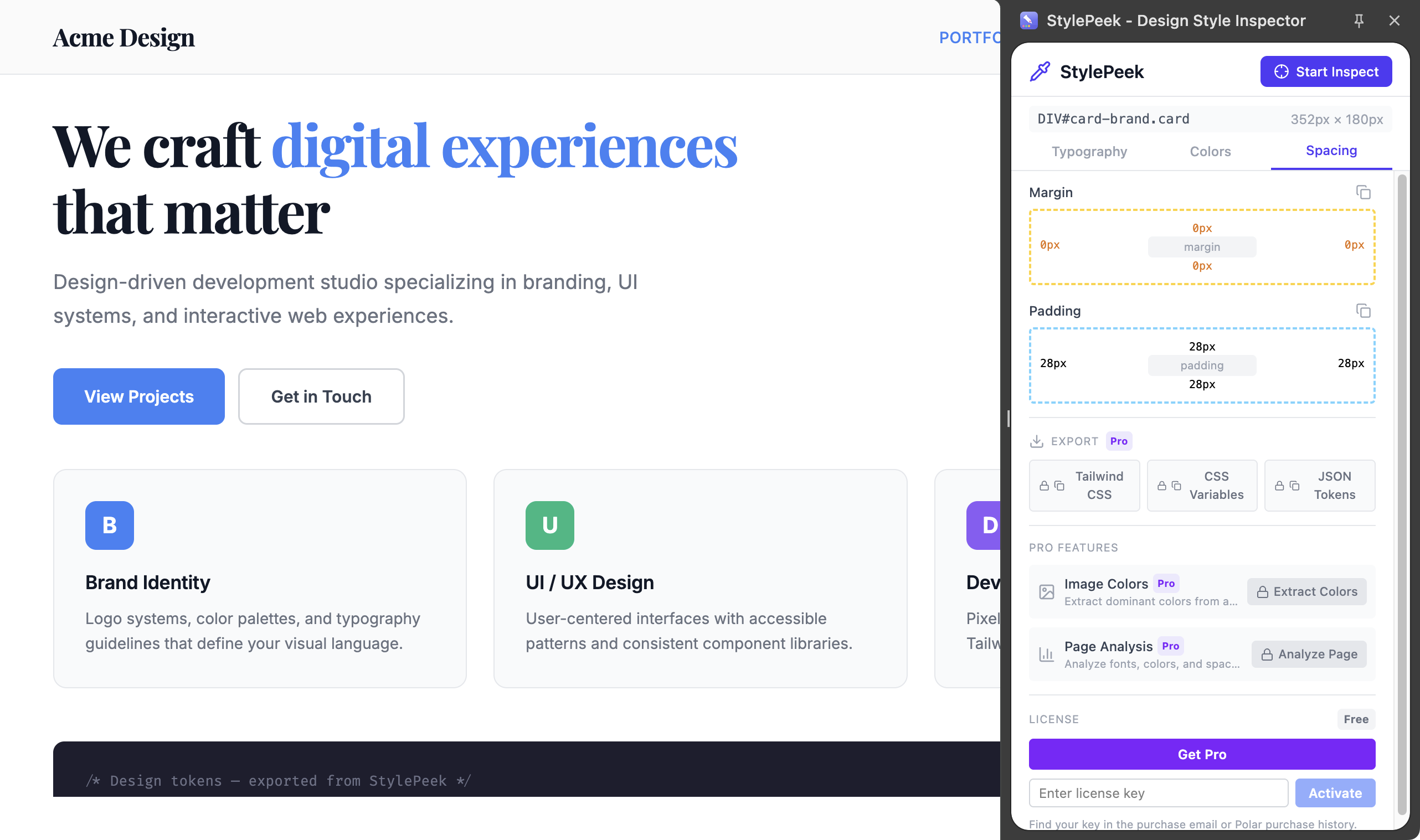
Spacing tab — margin and padding displayed as a visual box model
Key Features
- Persistent side panel — stays open while you browse, works across tabs and pages
- One-click inspection — click any element to see its styles immediately
- Typography details — font family, size, weight, line height, letter spacing, text transform
- Color extraction — text, background, and border colors in hex, RGB, and HSL
- Box model visualization — margin and padding displayed visually
- One-click copy — copy any inspected value instantly
- Zero DOM pollution — no elements injected into inspected pages
Free vs Pro
The free version covers typography, color, and spacing inspection with one-click copy. Pro unlocks export to Tailwind CSS classes, CSS custom properties, and JSON design tokens, plus image color extraction and full-page design analysis.
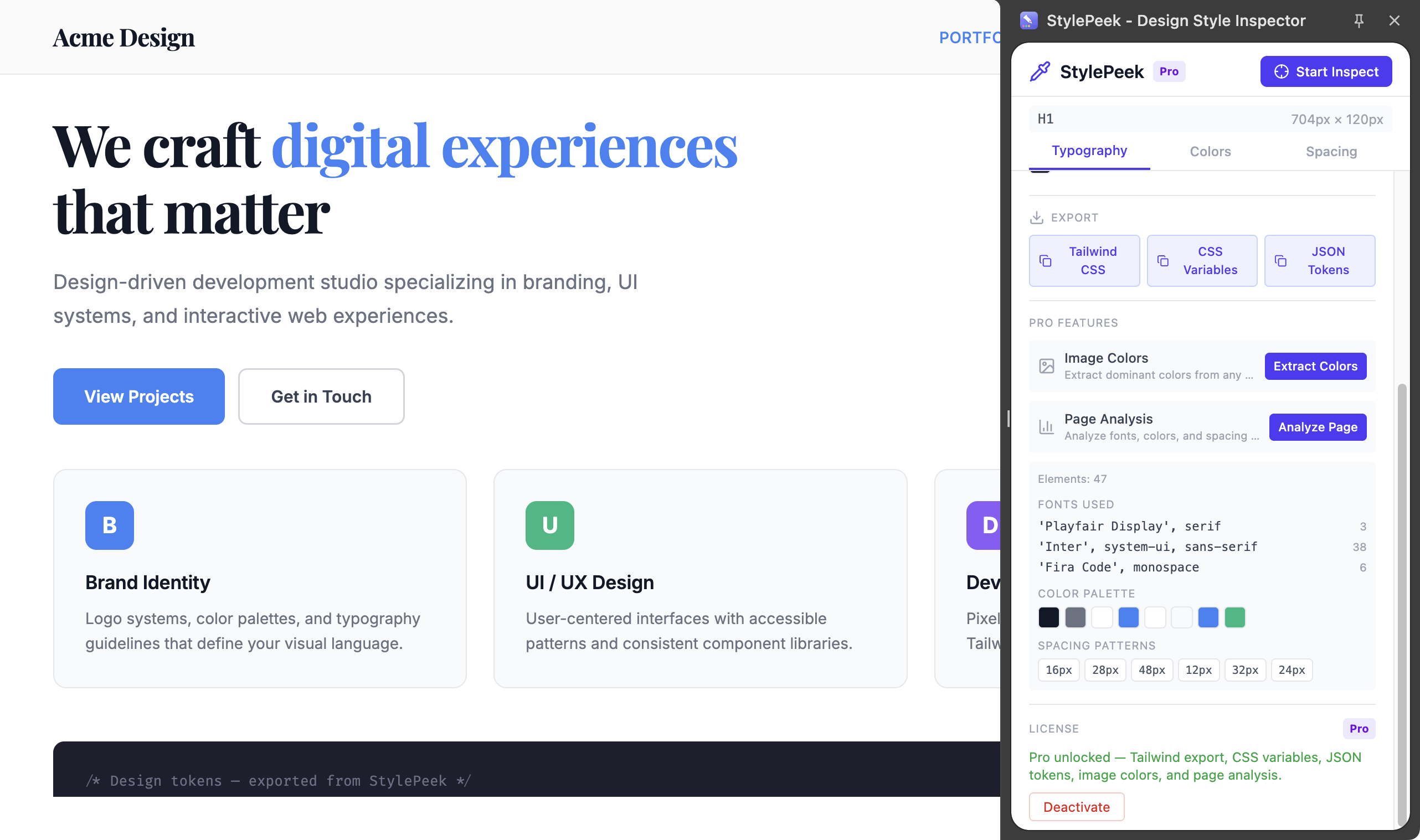
Pro: Full-page analysis — fonts, color palette, and spacing patterns across the entire page
Install StylePeek from the Chrome Web Store and start inspecting styles in seconds.
Feedback is welcome — leave a review on the Chrome Web Store page or reach out at support@joifup.com.